The Carcass Controls
Every interaction happens through the terminal. Learn the commands before the carcass learns you.
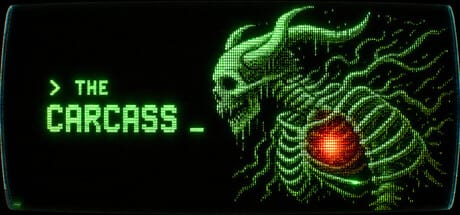
The Carcass is built as a pure keyboard experience. There is no mouse support in normal play—you type commands into a retro CRT terminal and read the results as ASCII prose, status panels, and event chains. Whether you are downloading the free demo or playing the full Steam release, understanding controls is the difference between a stable colony and a famine inside a rib cage.
This hub collects every controls-related page on thecarcass.wiki. Start with the keyboard commands reference for a sortable list of inputs, then open terminal settings if you need larger text, color alternatives, or CRT effect tuning.
Why controls matter in The Carcass
Unlike action games where muscle memory means WASD, The Carcass rewards command literacy. You advance time with next, spend Pulses when you harvest, and issue colony orders through typed menus. Misreading whether an action consumes a Pulse can waste a whole season of research or leave parasites unanswered for too long.
The 2.0 update clarified Pulse feedback: harvesting now prints [PULSE CONSUMED] with a mini turn report, and menus label Pulse costs in both safe and high-danger zones. If you played an earlier demo build, re-read the pulse system guide before assuming old habits still apply.
Recommended reading order
- Getting Started — install the demo, survive the intro, found your first chambers.
- Keyboard Commands — bookmark this; you will return every session.
- Pulse System — learn what advances time and what is free.
- Command Lookup Tool — filter commands without alt-tabbing out of the game.
Controls vs colony management
Controls tell you how to act; colony pages explain what to build. Once you can navigate regions and read turn reports, continue to colony resources and building production chains. Combat orders use the same terminal—see combat and defense when parasites escalate.
Accessibility and comfort
PiqFocus ships extensive accessibility options: adjustable text size, color alternatives, narrated menus, playable without timed input, and save-anytime on non-Ironman saves. The terminal settings guide walks through CRT intensity, volume, and keyboard-only navigation so long sessions stay readable.
Related updates
Control feel changed in the 2.0 patch—intro pacing now pauses on [SPACE/ENTER] Continue... at four story beats (ESC still skips entirely). Read patch notes for the full list. For release-day purchase questions, see release info and our review.
Controls hub focus
Master keyboard commands before colony math. Terminal literacy saves more lives than premature mutation picks.
Hub navigation
Commands reference plus settings comfort—both mandatory for keyboard-only play.
Frequently Asked Questions
Quick answers to the most common questions.
Does The Carcass support a mouse?
No. The game is designed for keyboard-only input through a terminal interface. Use accessibility options if you need larger text or color alternatives.
Which commands advance time?
Only `next` and `harvest` consume a Pulse in current builds. Other menu actions are free until you explicitly end the turn.
How do I skip the intro?
Press ESC at any time during the opening sequence. You can also advance manually with SPACE or ENTER at marked pause points.